
Plans
Review the proposed steps before work begins and choose what happens to completed plans.
A plan lists the steps the agent intends to take, their dependencies, and how to check the result. It stays linked to its run and is stored by the selected plan provider. You can reopen it in Clarvis without searching the conversation.
Normal planning (on) lets the agent create and follow a plan as part of the run. Review mode (review) pauses after the proposal so you can inspect it before implementation begins.
Toggle plan review
Run /plan before the next task when you want to change its review policy. The command saves the workspace setting immediately:
- any policy other than
reviewswitches toreview, which holds a proposed plan for your approval before execution; and reviewswitches back to normal planning (on).
Run /plan again to toggle back. If work is already active, the saved policy applies to the next run. Run Controls does not expose a separate planning-mode row.
Keep or delete completed plans
Open /settings/controls, move to Completed plans, and press Enter:
- Keep plans leaves completed plans available in the selected provider.
- Delete after success removes a plan after the successful run record has been written.
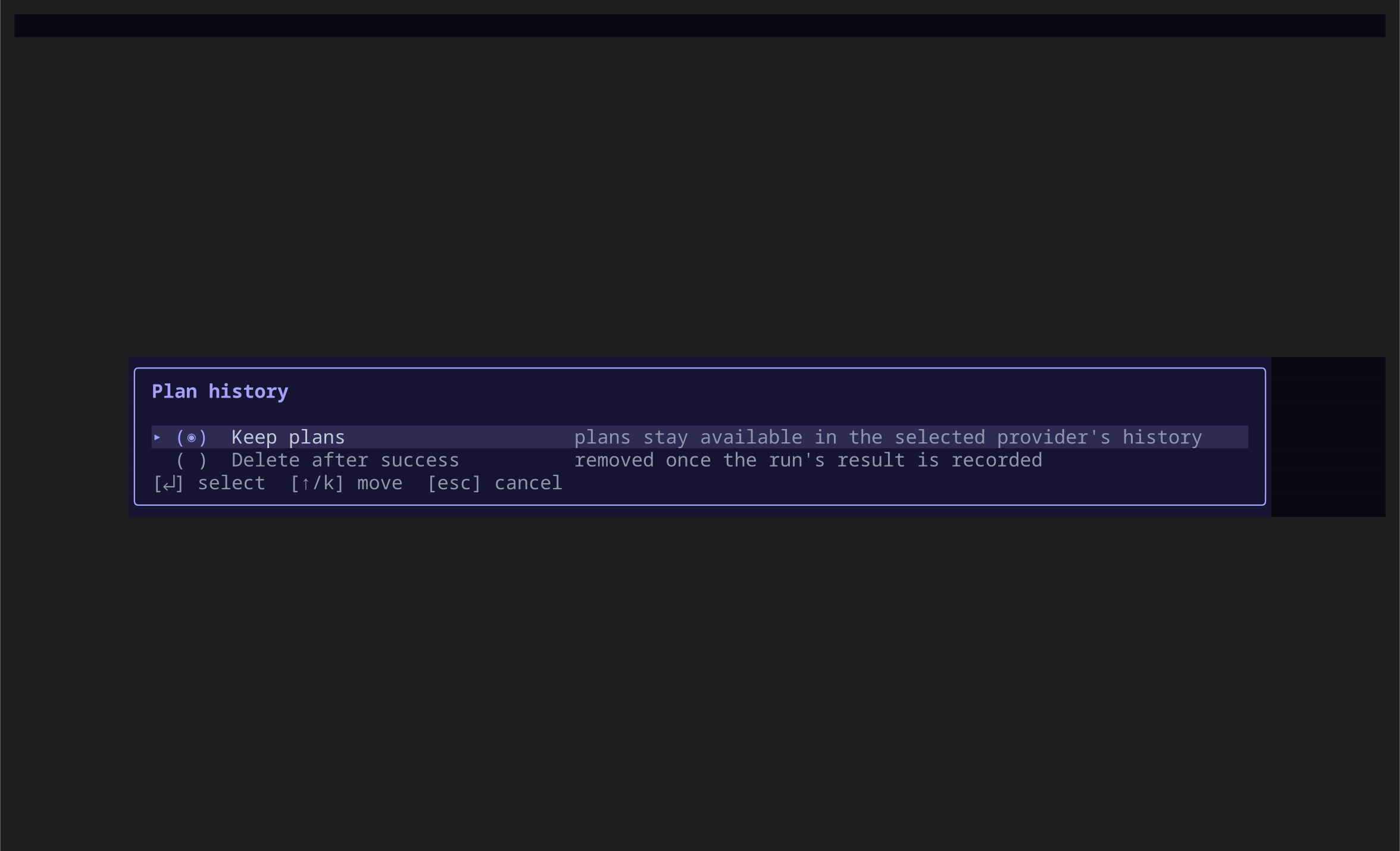
Press Ctrl+T before changing the row to choose global or workspace scope. The control saves immediately and applies to the next run.
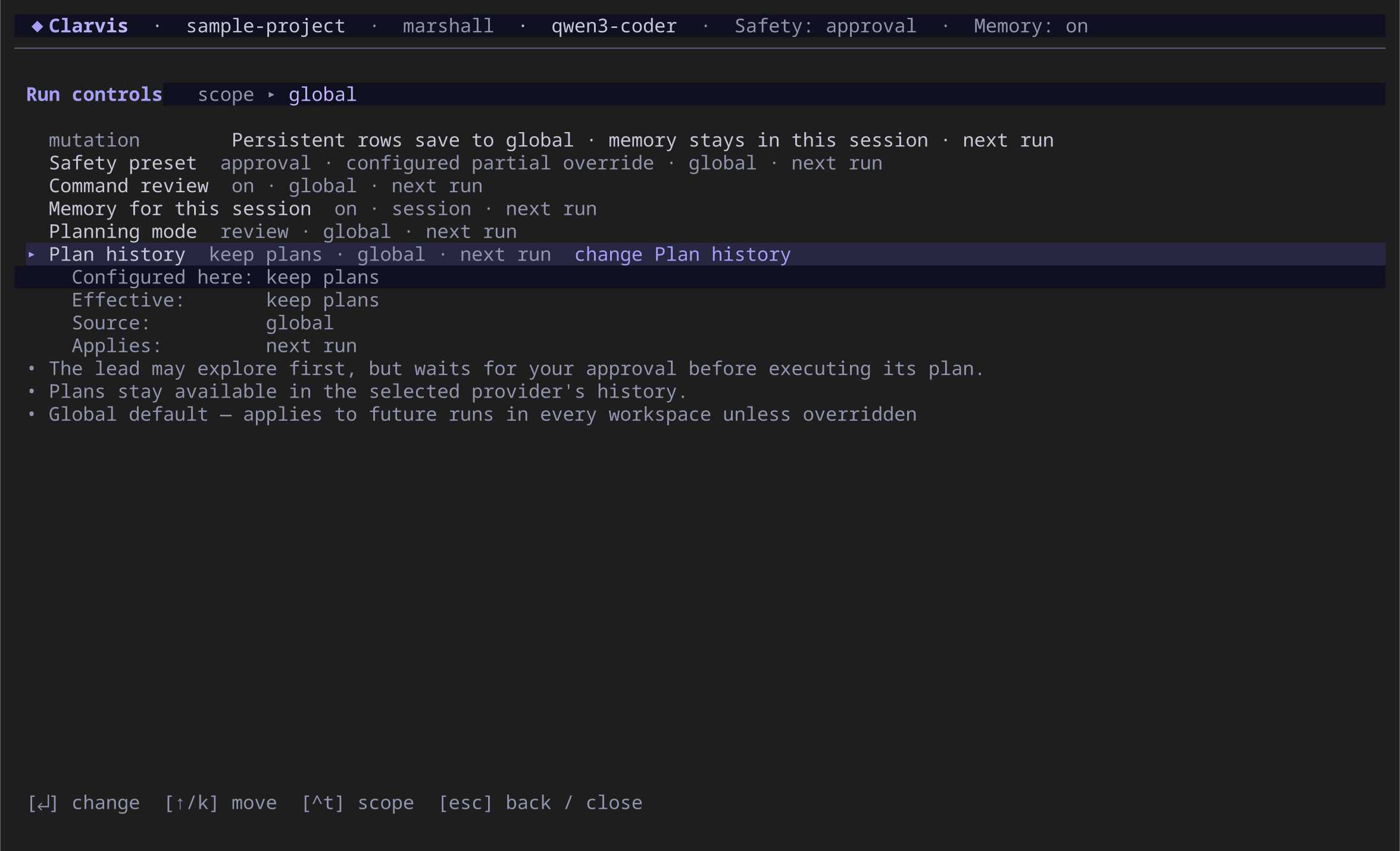
keep is the default. With discard, Clarvis deletes a plan only after a successful run. A failed or cancelled run keeps its plan so you can investigate or continue the work.
The expanded Completed plans row shows the configured value, effective value, source, and when the change applies.
Follow the current or latest plan
Press Ctrl+P to open the current or latest available plan in a read-only detail. Press Escape or Ctrl+P again to return to the run.
The TUI does not expose a saved-plan catalog, filters, per-plan retention changes, or plan deletion. With keep, completed, failed, and cancelled plans can survive across sessions, and the latest available plan remains reachable. With discard, a successful plan disappears after its result is recorded; failed or interrupted work remains available for recovery.