
Skills
Turn reusable instructions into skills you or your agents can load when needed.
Create a workspace skill
Create a directory under .clarvis/skills with a SKILL.md file:
.clarvis/skills/release-notes/
├── SKILL.md
├── references/
│   └── style-guide.md
└── examples/
    └── release.md
Use YAML frontmatter for discovery and Markdown for the instructions:
---
name: release-notes
description: Draft concise release notes from a Git commit range.
argument-hint: "<from>..<to>"
user-invocable: true
allowed-tools:
  - shell
  - grep
  - read_file
---

Draft release notes for `$ARGUMENTS`.

1. Read `references/style-guide.md` before writing.
2. Group user-visible changes by outcome.
3. Omit internal refactors unless they change behavior.
4. Match the tone and structure in `examples/release.md`.
Run it from the input:
/release-notes v0.0.0..HEADEvery $ARGUMENTS or placeholder is replaced with the text after the slash command. If the body has no placeholder, Clarvis appends the task as a Target section instead.
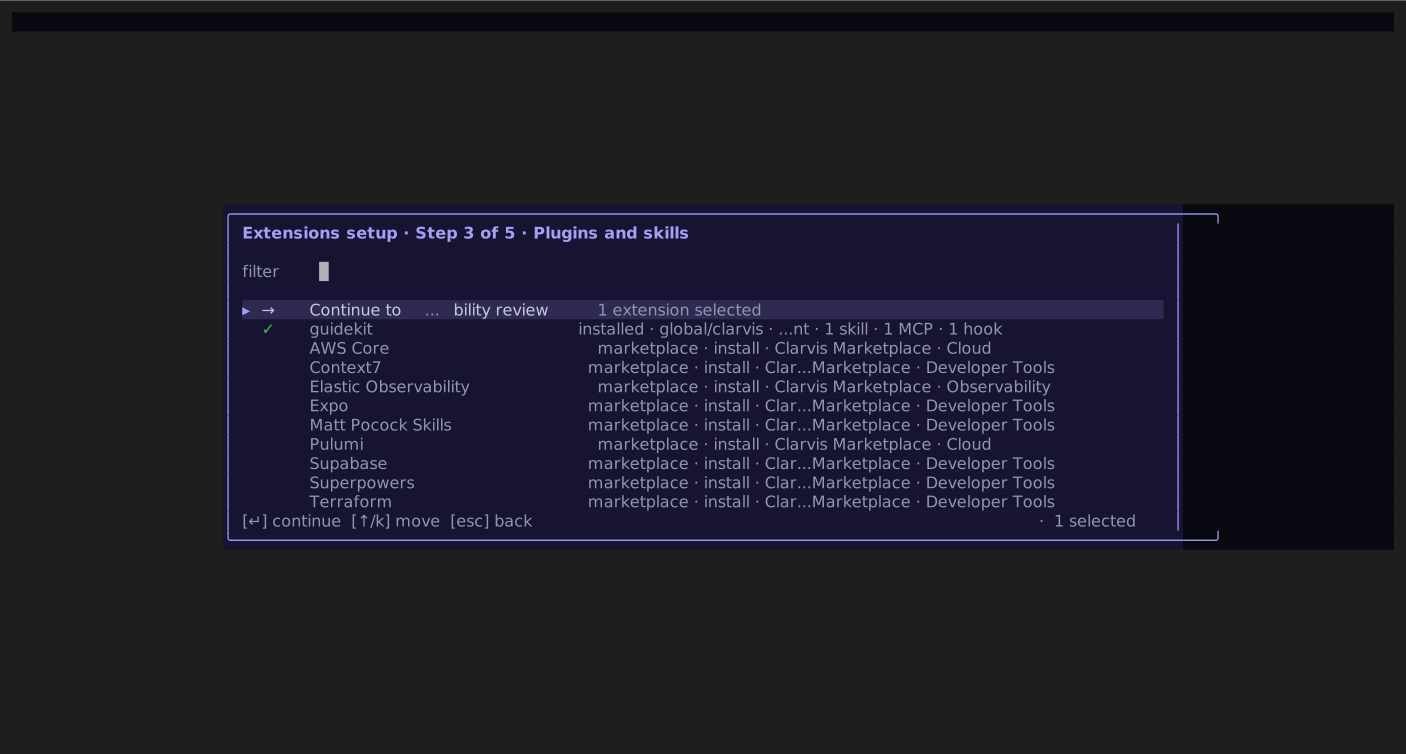
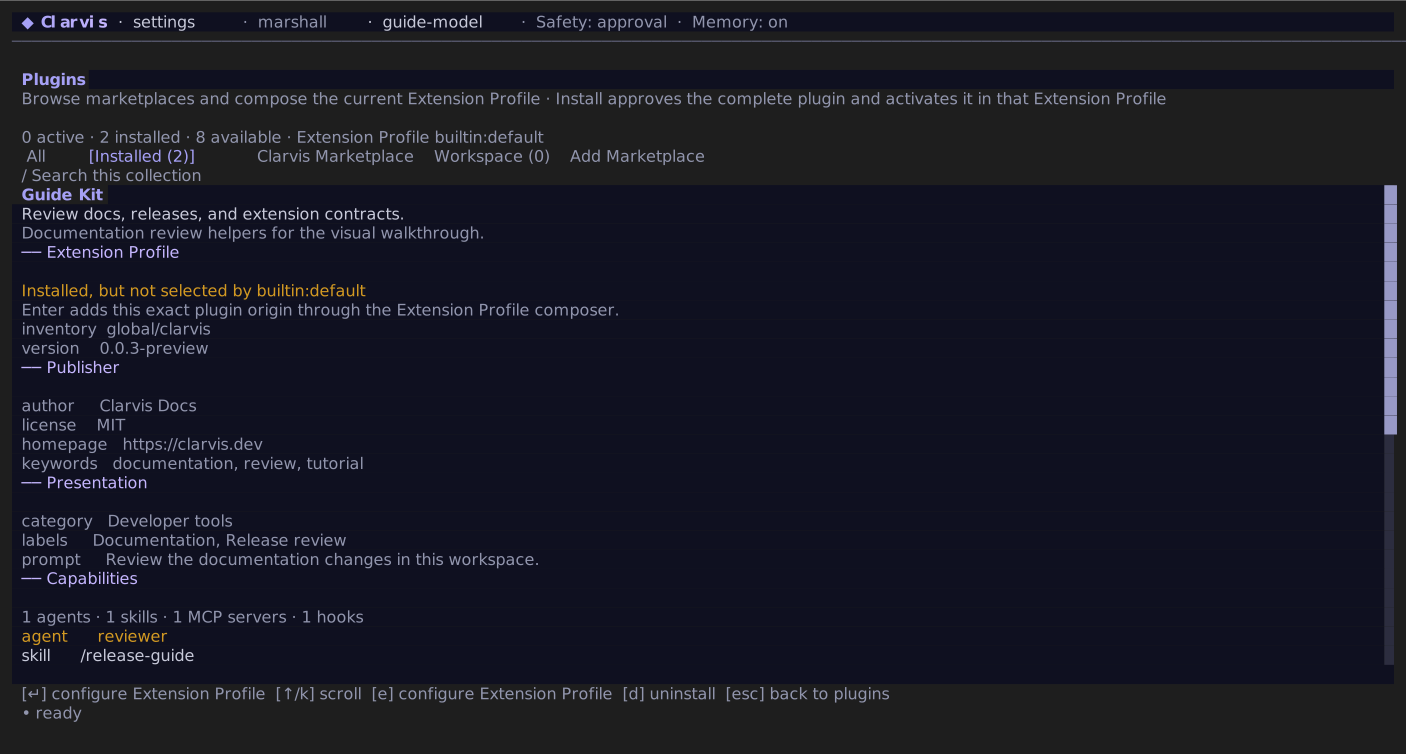
In /extensions, step 3 lists every standalone skill by exact user|workspace / agents|clarvis origin beside installed and marketplace plugins. Enter adds or removes that exact standalone skill from the draft. Plugin skills are not independent toggles: selecting their plugin contributes all of them atomically. Step 4 shows standalone and plugin skills in separate groups before anything is activated.
Choose where a skill lives
builtin:default reads skills from these locations, from lowest to highest precedence:
~/.agents/skills<workspace>/.agents/skills~/.clarvis/skills<workspace>/.clarvis/skills
The highest-precedence skill wins when names collide. Clarvis reads .agents/skills for ecosystem interoperability, but writes its own content under .clarvis.
A custom Extension Profile lists the exact standalone skill scope, source, and name to activate; roots not represented by those refs stay inactive. A selected plugin contributes all of its skills as part of the plugin's atomic contribution. Plugin skills sit below selected standalone roots, keep their authored skill name, and can therefore be deliberately overridden by a standalone skill.
Control invocation and tools
user-invocable: trueis the default and exposes/<name>in slash completion.user-invocable: falsehides the slash command; it does not remove the skill from agent-driven progressive loading.allowed-toolsis compatibility metadata. Clarvis preserves and validates it, but does not use it to change runtime permissions today; the selected agent determines the effective tools.agent: reviewerruns a slash-invoked skill as its own run on that agent. Withoutagent, the skill is inserted into the current turn. Plugin agents use the qualified formagent: quality-kit:reviewer.
allowed-tools also accepts a comma-separated string, and tools is an accepted alias. Prefer the list form above because it is easier to review.
Skills inside a portable Agent Plugins v1 package follow the stricter Agent Skills form instead: allowed-tools is one space-separated string, the name must match its directory and use the portable lowercase-hyphen format, and invalid optional portable metadata causes only that skill to be skipped. Standalone and native Clarvis skills retain the tolerant forms described above.
Add host metadata and an MCP dependency
The first .yaml or .yml file under a skill's agents/ directory is host metadata, not a model-readable resource. It may add presentation, suppress the skill from the implicit catalog, and declare MCP dependencies:
display-name: Documentation research
short-description: Search the connected documentation service.
dependencies:
  tools:
    - type: mcp
      value: docs
      description: Documentation search
      transport: http
      url: https://docs.example.com/mcp
When the selected run does not carry docs—or the plugin-qualified server named by the sidecar— Clarvis withholds the skill from that run's model-facing catalog. The dependency does not install, connect, or grant the server. Unsupported dependency types remain inert metadata.
Package resources and helper scripts safely
A skill resource may be at most 8 MiB, and one plugin snapshot admits at most 32 MiB of skill resources. Model-facing reads are paged at 256 KiB and 50,000 decoded characters, with an exact byte cursor so large text can be continued without retaining the complete file in memory. Binary assets participate in the immutable Extension Profile fingerprint but are not decoded into a prompt.
Selected packaged skills may expose their exact skill directory as a helper-execution root. That does not run anything automatically: the agent must invoke shell or monitor_start, command review still applies, and a native sandbox mounts the package root read-only. Without a native sandbox, the command is an ordinary secret-filtered host process; path admission alone does not make third-party helpers immutable.
Keep the first load small
Clarvis discovers skill names and descriptions without eagerly loading every body. Put detailed material in references, executable helpers in scripts, reusable input in assets, and samples in examples. An agent can load those resources only after it chooses the skill.
Skills are instructions, not a sandbox
A skill can direct an agent to use the tools of the selected agent. Review instructions and bundled scripts before adding a third-party skill. Do not treat allowed-tools as an enforcement boundary.