
Hooks
Run your own checks before or after agent actions.
Understand hook ownership
A hook runs an action at an event, such as before a tool call or after a run ends. Your own hooks live in global or workspace settings.json.
Plugin hooks are activated and removed with their plugin. Selecting a plugin selects all of its valid hooks.
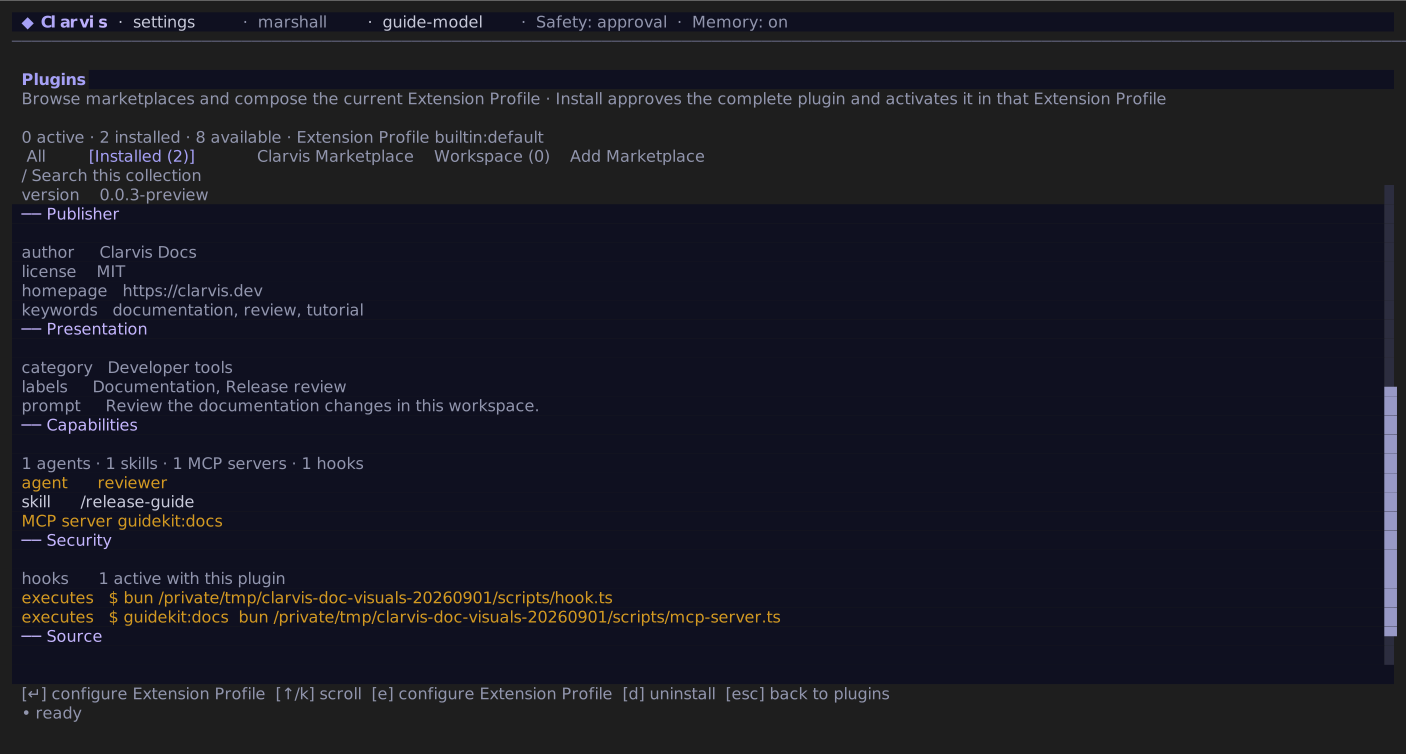
From /extensions, press m, open a plugin's details, and inspect its hook count and executable commands before installation or update. There is no separate per-hook approval screen. If plugin or workspace content changes, Clarvis holds the new snapshot outside active runs and asks for the exact workspace review when applicable.
Add an operator hook
Put personal hooks in ~/.clarvis/settings.json, or project-specific hooks in .clarvis/settings.json at the workspace root. This example runs the project's test command before an agent may finish:
{
  "hooks": [
    {
      "event": "pre_finalize",
      "command": "bun run test",
      "timeout_ms": 60000,
      "on_failure": "deny"
    }
  ]
}
A successful command may write nothing to stdout. To return an explicit verdict, write exactly one JSON object to stdout:
{ "kind": "deny", "message": "The project tests must pass before this run can finish." }Write diagnostic logs to stderr. Extra text on stdout makes the verdict invalid.
Scope a hook to tool calls
match is available only for pre_tool_use and post_tool_use. Tool patterns are exact names or globs, and every argument pattern is a JavaScript regular expression that must match:
{
  "hooks": [
    {
      "event": "pre_tool_use",
      "match": {
        "tool": "shell",
        "args": {
          "command": "(^|\\s)deploy(\\s|$)"
        }
      },
      "command": "bun run tooling/review-deploy.ts",
      "timeout_ms": 5000,
      "on_failure": "deny"
    }
  ]
}
The referenced tooling/review-deploy.ts can deny the matched call with a clear reason:
const input = (await Bun.stdin.json()) as {
  tool_input?: { command?: unknown };
};

const command =
  typeof input.tool_input?.command === "string" ? input.tool_input.command : "deploy command";

console.error(`blocked agent-initiated deployment: ${command}`);
process.stdout.write(
  JSON.stringify({
    kind: "deny",
    message: "Run deployments from a separate operator-controlled process.",
  }),
);
The hook command receives one JSON object on stdin. A tool event includes tool_name and tool_input; all events include protocol, hook_event_name, and cwd.
For hook documents shared with another host, hook_event_name and tool_name use the compatible external spellings. Built-in tools therefore arrive with names such as Bash, Read, and Skill, while an MCP tool arrives as mcp__<server>__<tool>. A skill load also adds skill beside its native name input. Use CLARVIS_HOOK_TOOL for the Clarvis wire name and CLARVIS_HOOK_TOOL_FULL_NAME for an MCP tool's stable dotted name when your script needs Clarvis's own identity.
Gate hooks may return pass, deny, or advise. A pre_tool_use hook may also return rewrite with a complete replacement arguments object. session_start and pre_compact hooks may return context text. Observer events run for notification only and cannot block the run. A user_prompt_expansion observer fires once before a user-invoked skill command starts; it does not fire for an ordinary prompt or a later model-initiated skill load.
Hooks run with your privileges
Hook commands run from the workspace with normal filesystem and network access; they do not run in the agent sandbox. Clarvis removes provider credentials and secret-shaped environment variables, but that filtering is not process isolation. Treat every hook command as executable code you chose to run. A match narrows when a hook runs; it is not a security boundary.
Use portable lifecycle fields and MCP hooks
Portable plugin hook documents may select commandWindows, detach a command with async, retain a bounded statusMessage, and narrow captured output with additionalContextLimit. Clarvis maps those fields to the same normalized hook contract. Async commands share an eight-process background ceiling; a SessionEnd / run_end command always waits so process shutdown does not discard it. Portable prompt and agent hook entries have no executable counterpart and are reported and skipped.
A native or translated mcp_tool hook calls an already-open server without routing through the model's tool dispatcher:
{
  "hooks": [
    {
      "event": "post_tool_use",
      "type": "mcp_tool",
      "server": "review",
      "tool": "record",
      "input": {
        "tool": "${tool_name}",
        "arguments": "${tool_input}"
      },
      "timeout_ms": 2000
    }
  ]
}
Placeholders recursively read fields from the event payload. The direct call cannot recursively fire tool hooks. A missing server, missing tool, timeout, cancellation, or tool error fails open; on_failure is therefore invalid on mcp_tool. Portable MCP hooks on SessionEnd are skipped because the run tool pool is already closing.
Plugin command hooks receive the resolved package path as PLUGIN_ROOT, a persistent writable data path as PLUGIN_DATA, and the compatibility aliases CODEX_PLUGIN_ROOT and CODEX_PLUGIN_DATA. These are path values, not credentials; the ordinary secret filtering still applies.
Approve workspace execution
Hooks from .clarvis/settings.json do not run until that exact workspace fingerprint is approved. Clarvis asks on entry when a protected fingerprint is new or changed. /workspace-trust remains available to review, approve, or revoke it later. The same trust decision also covers workspace MCP servers, settings-based plugin selections, marketplaces, executable capability providers, a Tasks provider, workspace agents, and the complete inventory of repository-owned workspace plugins before Extension Profile selection. Subscription-provider declarations are never activated from workspace settings, even after approval; configure them globally.
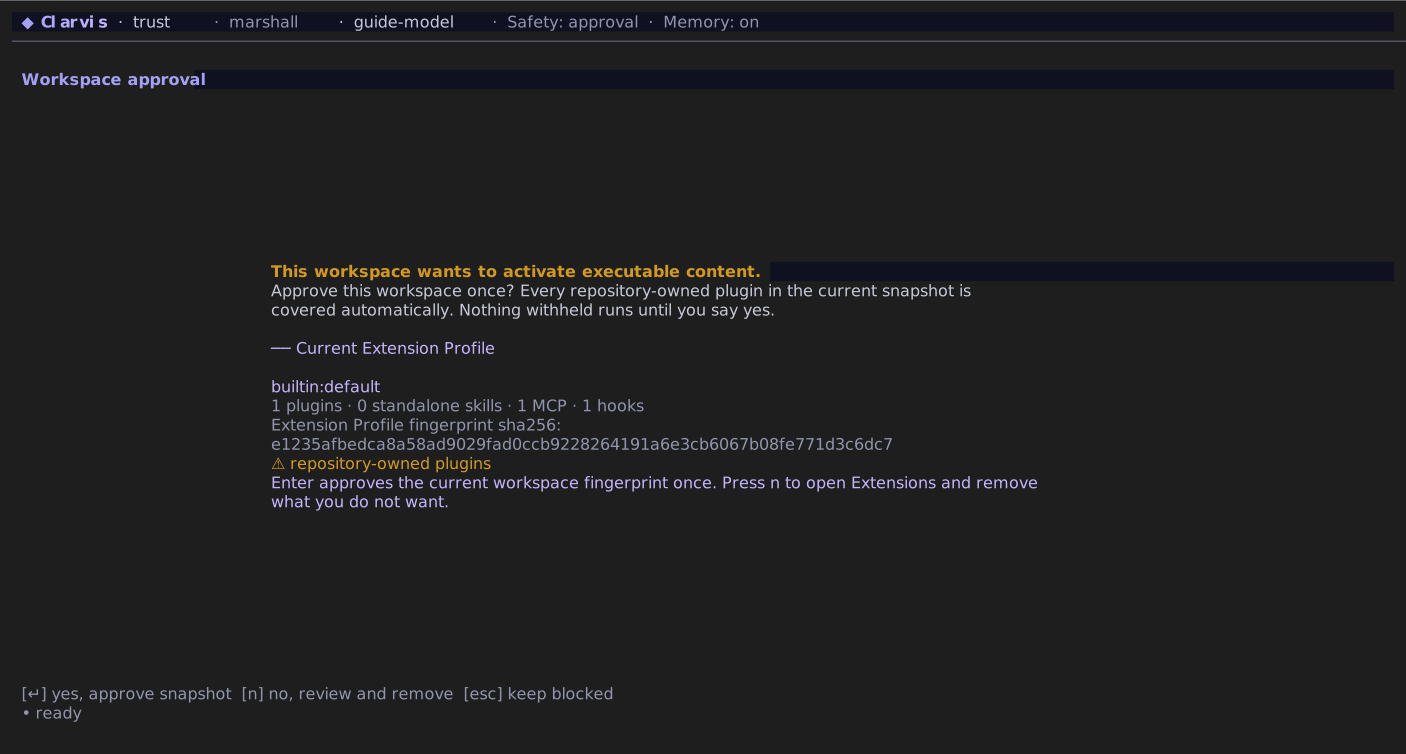
A plugin hook runs when its complete plugin is selected by the active Extension Profile. A global plugin needs no second workspace approval; a repository-owned workspace plugin also needs the complete workspace plugin inventory fingerprint to be trusted. The hook never changes an already-active run.