
Daily use
Send tasks, guide work in progress, review changes, and manage your sessions.
Start in the right workspace
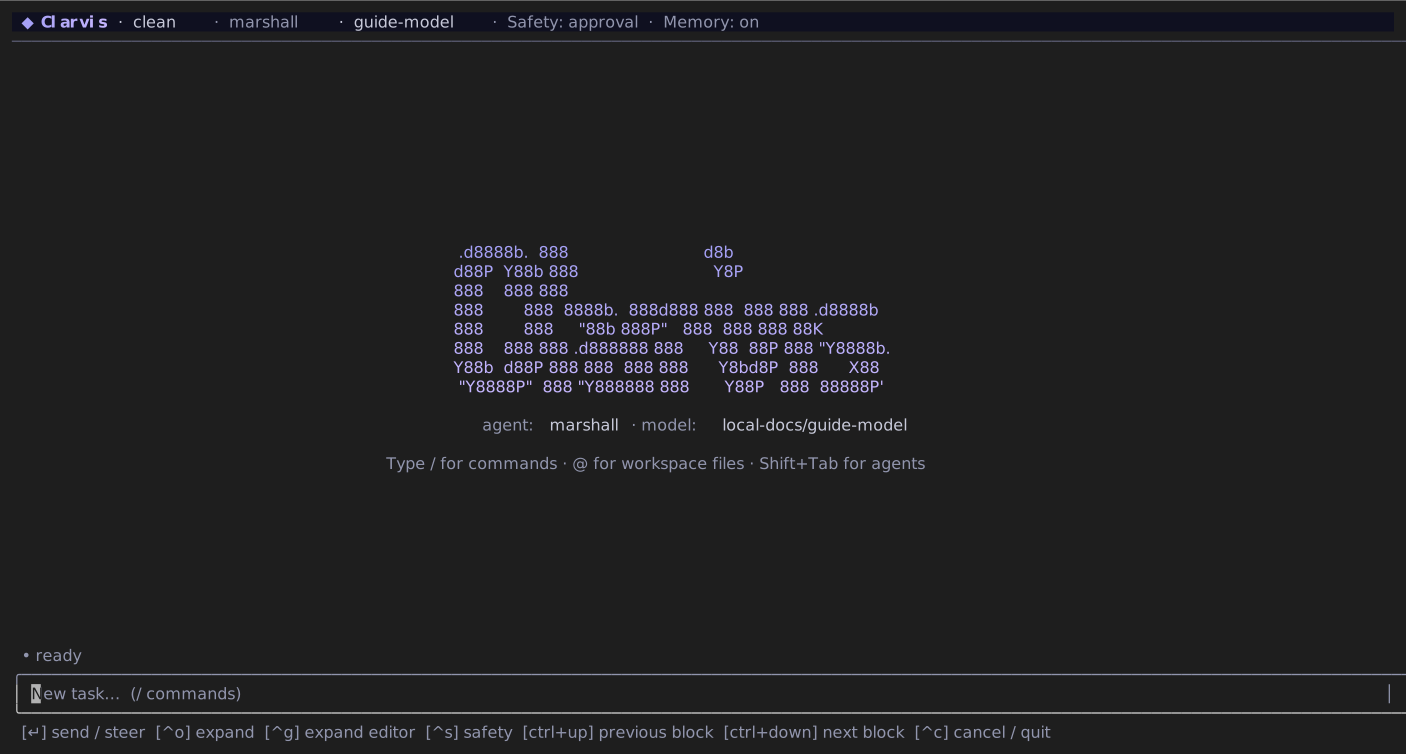
Clarvis treats the current directory as the workspace:
cd path/to/your-project
clarvis
Before asking for changes, check the workspace and safety indicators in the header. If the repository contributes executable configuration, review it with /workspace-trust.
Write a useful task
A strong request names the outcome, important boundaries, and the evidence you expect:
Fix the empty-state regression in the account picker. Preserve the current visual style, add a
regression test, run the focused checks, and summarize the changed files.
Use @ to mention a workspace file. Images selected through a mention are attached to the turn. Type / to search commands and destinations.
Unmodified Enter submits. Ctrl+J inserts an explicit newline on every keyboard profile; enhanced profiles also accept Shift+Enter. Portable profiles do not advertise Shift+Enter because some terminals and multiplexers erase that modifier. Long lines and unbroken tokens wrap inside the bounded message field, so continuing to type does not hide the start of the draft.
TIP
Begin unfamiliar work with a bounded read-only request. Once the evidence is clear, ask for the change in the same session.
Steer or cancel active work
Submitting text while a run is active steers that run; it does not create a competing run:
Keep the public API unchanged and focus the fix inside the adapter.Press Ctrl+C to cancel active work. Escape clears a draft or closes the current screen; it does not cancel a run and never requires a second press or a timeout. Clarvis shows the actions available on the current screen in the footer.
When a run finishes, your next message starts a new turn, even if Clarvis is still updating memory in the background.
Clarvis confirms a follow-up only after the active run receives it. If the run finishes first, your text returns to the message field and the conversation shows Steer not delivered.
Use /plan when the next run should require plan approval. Run it again to restore normal planning; the workspace setting is saved immediately.
Inspect the result
/diffopens the focused or most recent diff.- Ctrl+P opens the current or latest plan.
/workflowopens workflow run history and the manager-to-agent tree./statusshows the current agent, model, token use, and run state./exportwrites the complete persisted transcript to a Markdown file.
Review claims against the displayed tool results and diffs before accepting consequential work.
Read usage and prompt-cache metrics
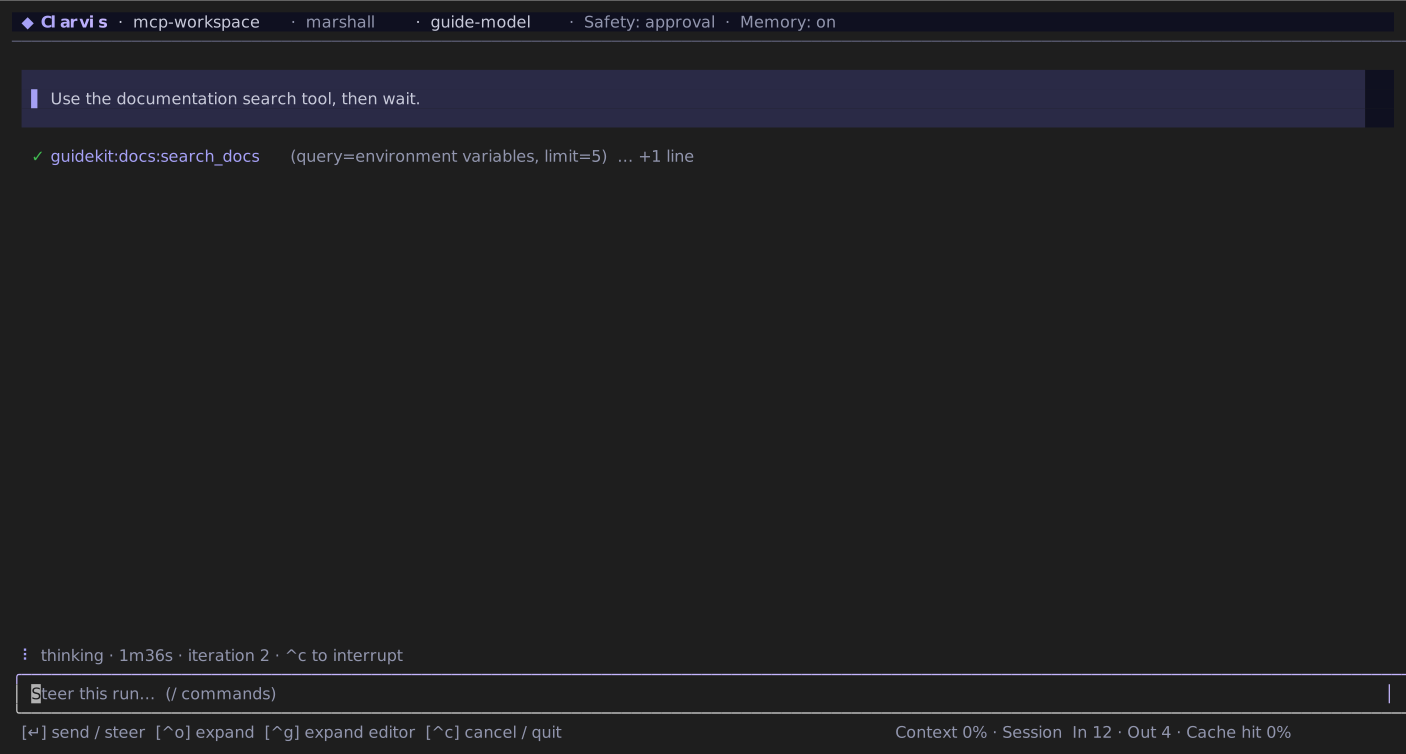
Context is the gross prompt size because cached tokens still occupy the model window. In is the input the provider had to read after subtracting a reported cached prefix. Cache hit is cached / gross input, independently for the current run and cumulative session.
A reported cache value of zero means a measured 0%. If a provider leaves out cache details for any input, Clarvis shows the full input count and hides Cache hit. It does not treat missing data as zero or subtract only the known part. /status, Sessions, and the footer use the same session totals.
Organize your sessions
A session is the continuing conversation for one workspace. A run is one unit of agent work inside that session.
/cleararchives the current session and starts a new one./sessionsresumes, exports, or deletes saved sessions.clarvis --continueresumes the most recently used session for the current workspace.clarvis --listlists saved sessions.clarvis --resume <session-id>resumes a specific session.
Use /compact when a long session should retain its important context in a smaller summary. Add an optional instruction when something specific must survive:
/compact Preserve the accepted API decision and every unresolved release blocker.Run without the interactive interface
For scripts or one-off output, use print mode:
clarvis --agent explorer --format md -p "Map the authentication flow. Do not edit files."Headless mode cannot answer interactive approval requests; Clarvis denies them instead of waiting forever. Use the interactive TUI for work that may require command, plan, or workflow approval.
WARNING
Input beginning with ! runs a local shell command directly in the workspace. It is your command, not an agent tool call, and does not pass through the agent's sandbox or command-review policy.