
Marketplaces
Find plugins in a catalog, review what they do, or publish your own catalog.
Browse the official marketplace and install a plugin
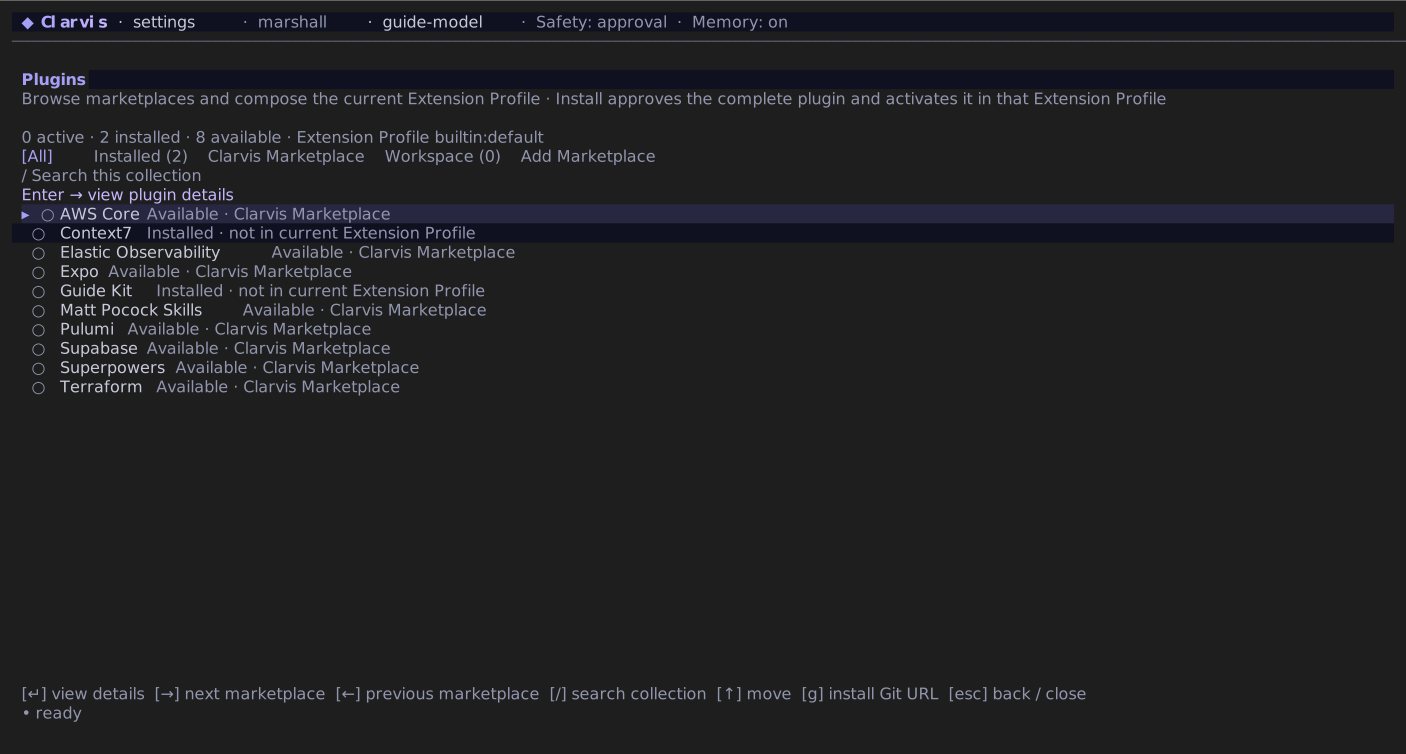
Type /extensions, then press m to open Plugins. Clarvis loads the official getclarvis/marketplace catalog automatically; you do not need to add its URL to settings.
- Move left and right between All, Installed, each exact marketplace, Workspace, and Add Marketplace. Move up and down through plugins in the selected collection.
- Press
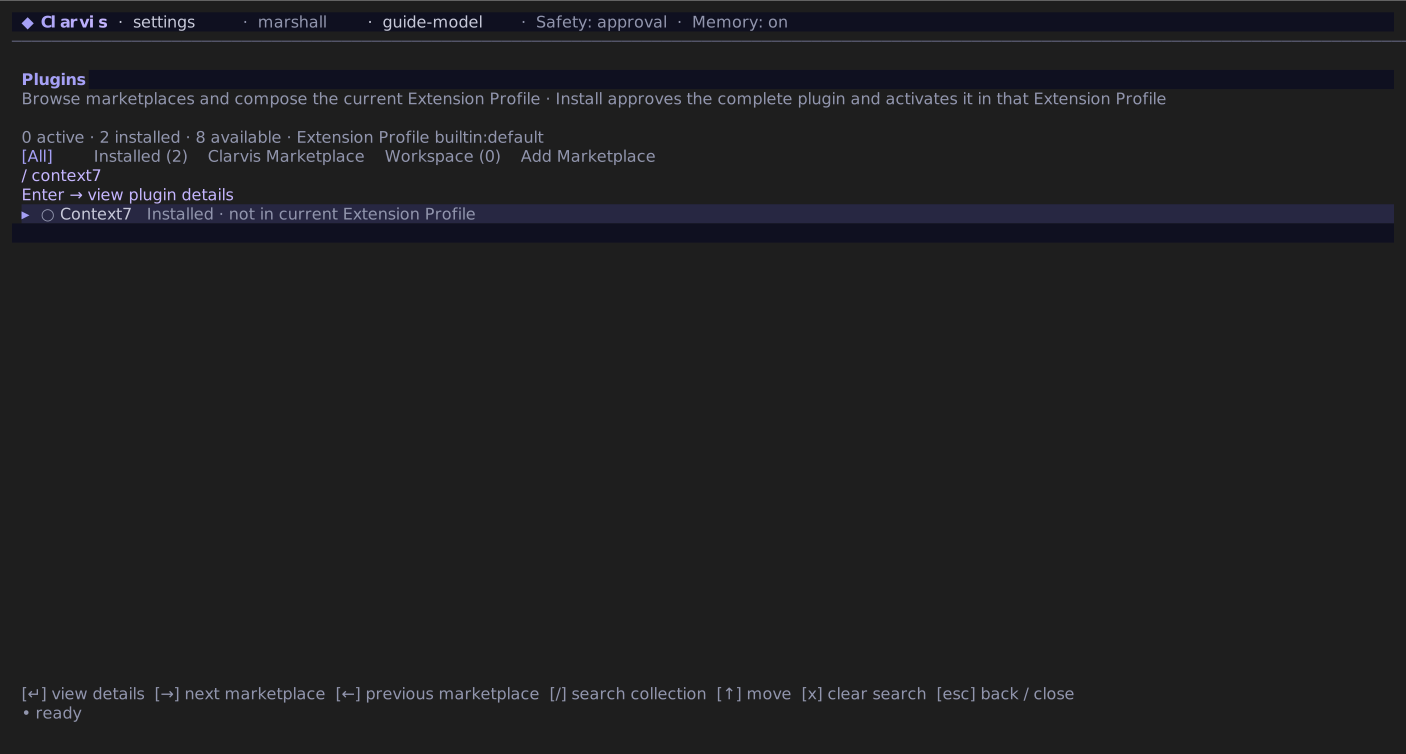
/to search only the current collection, orgto install directly from a plugin Git URL. Press Enter on Add Marketplace to register another catalog. - Press Enter on a plugin to inspect its exact source, Extension Profile state, agents, skills, MCP servers, hooks, services, and executable commands.
- Press Enter again on an available listing to install and activate the complete plugin in the current Extension Profile. The footer at the right shows the animated operation and elapsed time.
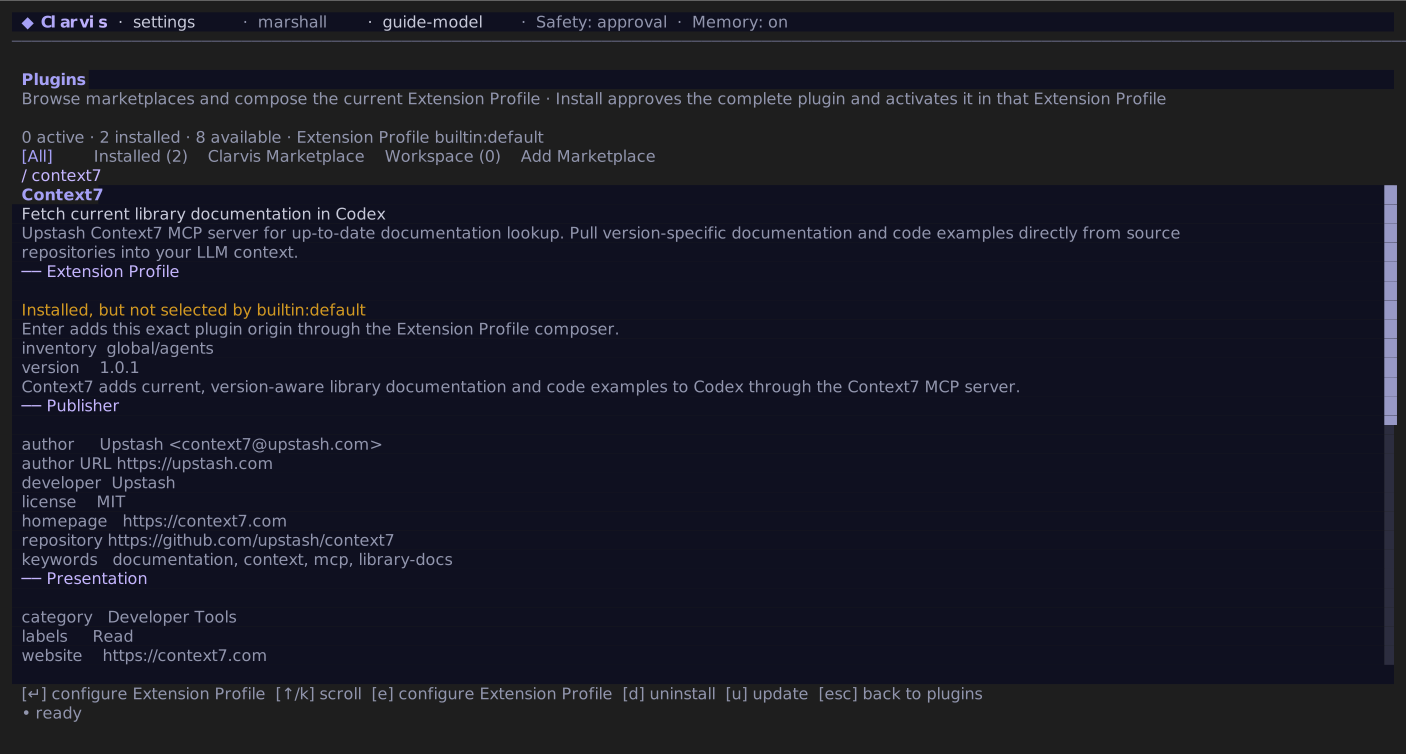
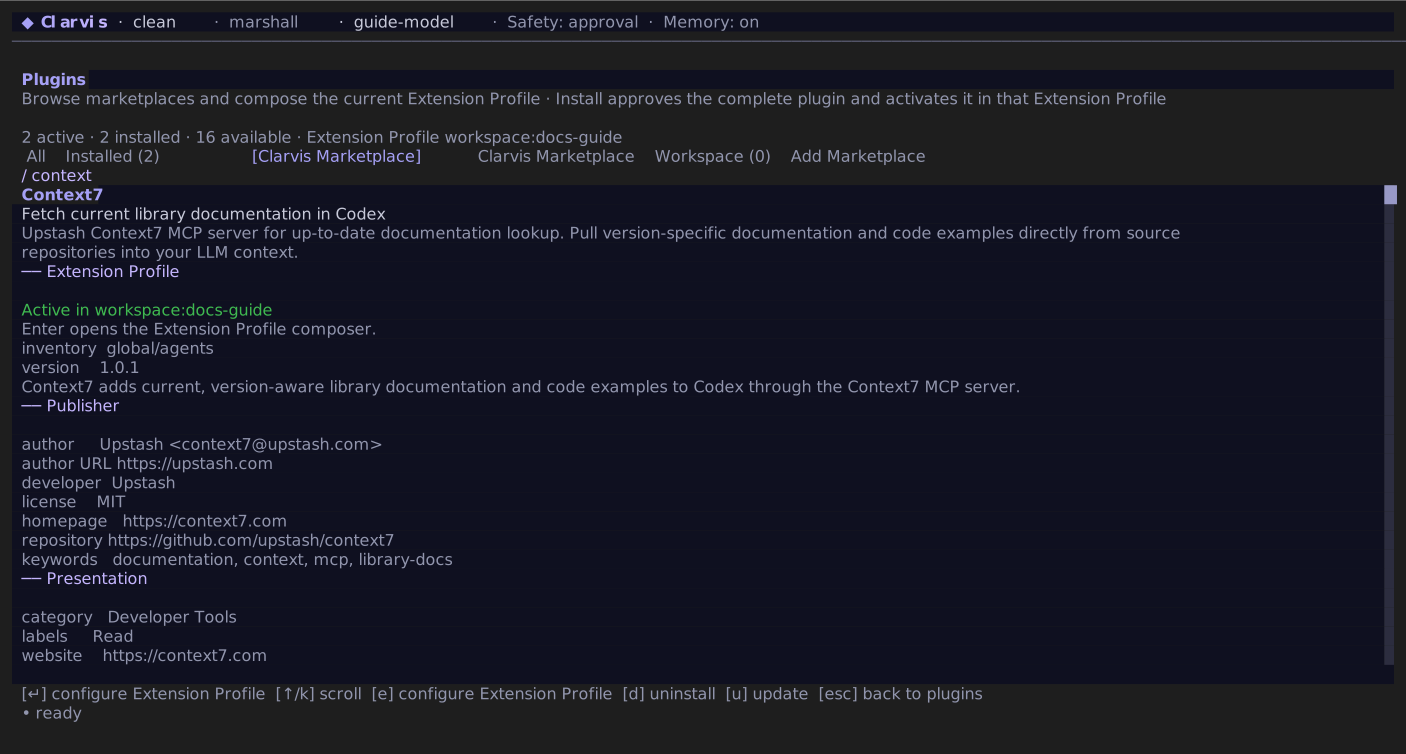
A marketplace listing is only a pointer to a source repository: merely appearing in a catalog installs and activates nothing. Choosing install and activate is the explicit consent boundary for the complete plugin, including its hooks and other executable contributions. Installed plugins remain visible in Installed even when another Extension Profile leaves them inactive.
Only a managed global Git installation exposes Update. A local or npm install, an unmanaged checkout, a linked checkout, and a workspace plugin remain visible but must be updated at their owning source.
The guided Extension Profile message field remains available from /extensions: press Enter, choose the selection scope and Extension Profile, then add or remove exact installed plugins and standalone skills. Escape always returns one level. When a draft has unsaved changes, Clarvis asks before discarding it.
Local TUI behavior
Marketplace browsing runs Git on the machine that displays the TUI. Use this flow with the local Clarvis TUI. A future remote host may separate the display machine from the machine that installs plugins.
Publish a marketplace
Create a Git repository with marketplace.json at its root:
{
  "name": "acme-extensions",
  "displayName": "Acme Extensions",
  "description": "Reviewed Clarvis plugins for Acme projects.",
  "plugins": [
    {
      "name": "quality-kit",
      "source": {
        "source": "url",
        "url": "https://github.com/acme/quality-kit.git",
        "ref": "v1.2.3"
      },
      "description": "Review-oriented agents, skills, and checks.",
      "displayName": "Quality Kit",
      "homepage": "https://github.com/acme/quality-kit",
      "category": "Quality",
      "policy": {
        "installation": "AVAILABLE",
        "authentication": "ON_FIRST_USE"
      }
    },
    {
      "name": "repo-tools",
      "source": {
        "source": "git-subdir",
        "url": "https://github.com/acme/clarvis-plugins.git",
        "path": "plugins/repo-tools",
        "ref": "main"
      },
      "description": "Repository maintenance helpers."
    },
    {
      "name": "formatter-kit",
      "source": {
        "source": "npm",
        "package": "@acme/formatter-kit",
        "version": "1.0.0"
      },
      "description": "Formatting helpers distributed through npm."
    }
  ]
}
Each usable listing needs name and source. The listing name is the expected installed identity: an explicitly named plugin must match it, while a compatible foreign manifest with no name receives the listing name. A mismatch is refused rather than installed under an ambiguous namespace.
Clarvis accepts these installable source forms:
- a Git URL string, including HTTPS, SSH, and scp-style SSH;
{ "source": "url", "url": "…", "ref": "…" }, optionally replacingrefwith one full commitsha;{ "source": "git-subdir", "url": "…", "path": "…" }with a confined relative path and optionally onereforsha;{ "source": "local", "path": "plugins/example" }, confined to the marketplace directory;{ "source": "npm", "package": "@scope/name", "version": "…", "registry": "…" }, where version and registry are optional and a custom registry must be credential-free HTTPS.
Local sources are copied into managed inventory under file, count, and depth limits; symlinks and special filesystem entries are refused. In a remote Git marketplace, a confined local source is projected back to that repository and subdirectory before the temporary catalog checkout is removed. Npm acquisition disables lifecycle scripts, audits, and funding requests. Use a remote Git or npm source for a marketplace meant to work outside its own checkout.
policy.installation accepts AVAILABLE, INSTALLED_BY_DEFAULT, and NOT_AVAILABLE; policy.authentication accepts ON_INSTALL and ON_FIRST_USE. These are catalog display policies, not authority: loading a marketplace never installs, activates, or authenticates a plugin, and NOT_AVAILABLE suppresses the install action. displayName, description, homepage, category, and bounded interface data are presentation fields only.
Like plugin manifests, marketplace documents are read tolerantly. Unknown fields and recoverable presentation problems are reported as notes rather than silently becoming behavior. Listings with no usable name or source are dropped.
To contribute a plugin to the official catalog, follow the contribution process in getclarvis/marketplace. The official repository records review metadata and the exact upstream revision inspected for each accepted entry. The plugin code stays in its upstream repository; path identifies a subdirectory only when needed.
Configure an additional marketplace manually
The official marketplace is built in and is not written to settings. The TUI writes URLs for additional marketplaces to your global settings. You may instead edit ~/.clarvis/settings.json:
{
  "marketplaces": ["https://github.com/acme/clarvis-marketplace.git"]
}
A workspace may declare its own marketplaces list in .clarvis/settings.json. When its protected surface changes, Clarvis prompts for the exact workspace fingerprint on entry. /workspace-trust remains available as a later review or revocation fallback.