
Agents
Choose a built-in agent, replace its system prompt, or create your own agent for a specific job.
An agent profile defines how an agent works: its system prompt, model, tools, permissions, limits, and whether it can delegate work. You can replace the entire system prompt of any built-in agent, including Marshall, the default lead.
Use /agent to choose the lead for the next task. Use an Extension Profile to choose which installed extensions are available to it.
Choose from the built-in fleet
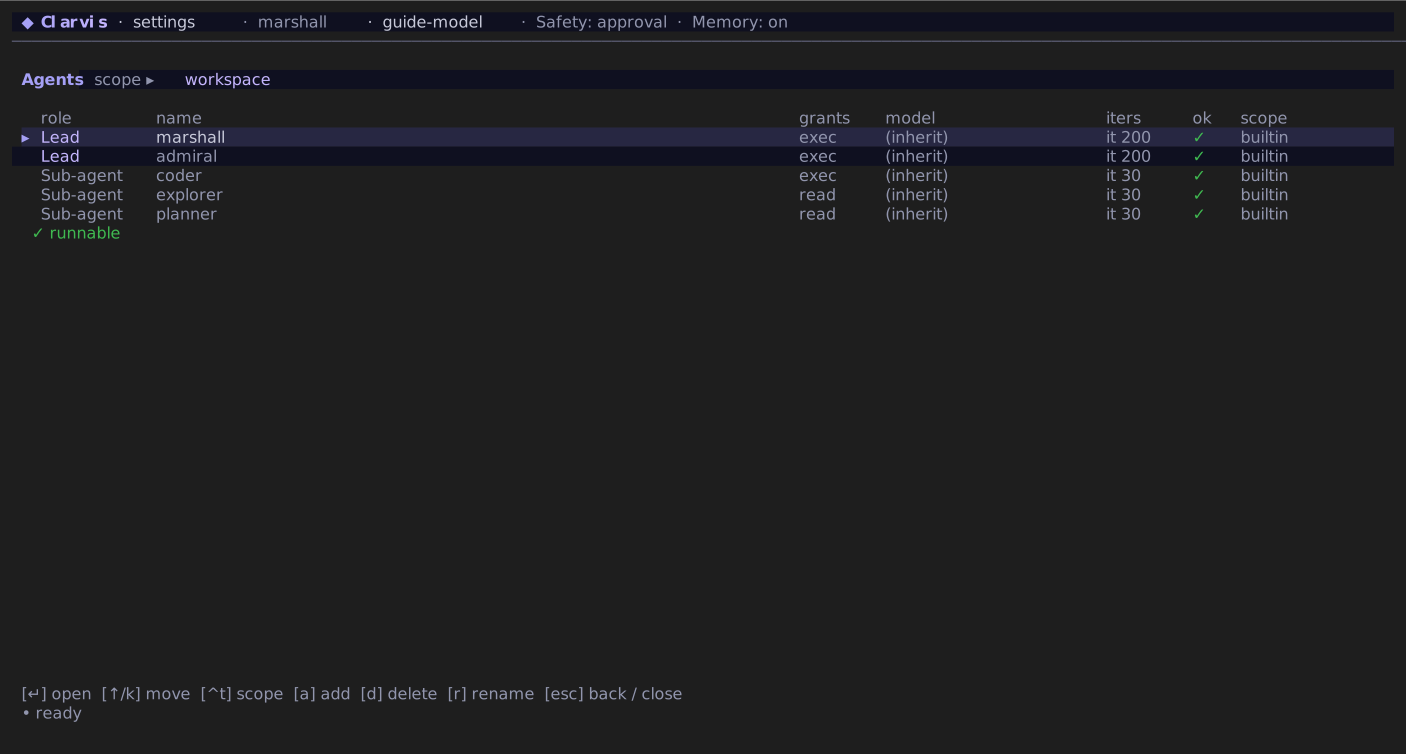
Clarvis is ready with five agents; no files need to be generated.
| Agent | Best for |
|---|---|
marshall | General coding work. Investigates, implements, and delegates bounded work when useful. |
admiral | Running reusable workflows and coordinating independent leader runs. |
coder | One bounded implementation task. Intended primarily as a sub-agent. |
explorer | Read-only investigation with concrete evidence. |
planner | Read-only decomposition, dependencies, risks, and definition of done. |
Open /agent to change the active agent. Enter changes only the current session. Press S in the picker to save the selected agent as a global or workspace default. A workspace default wins over a global default.
Create an agent
The built-in editor creates the file and starts from a read-only template:
- Open
/settings/agents. - Press Ctrl+T and choose global or workspace scope.
- Press A, enter a name such as
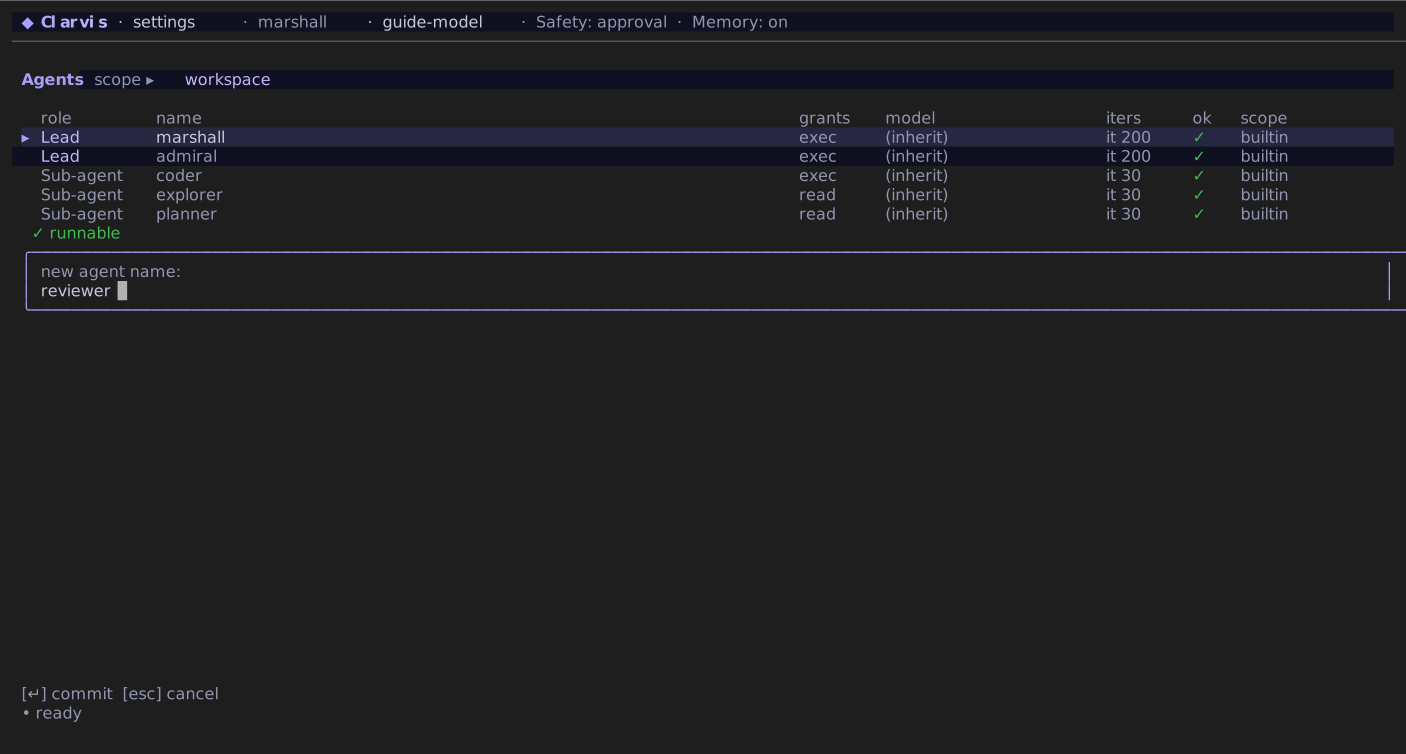
reviewer, and press Enter. - Open the new agent and review its description, grants, tools, model, iteration limit, spawn policy, and instruction prompt.
- Press Ctrl+S after changing a field.
- If you created it in workspace scope, approve the new executable configuration with
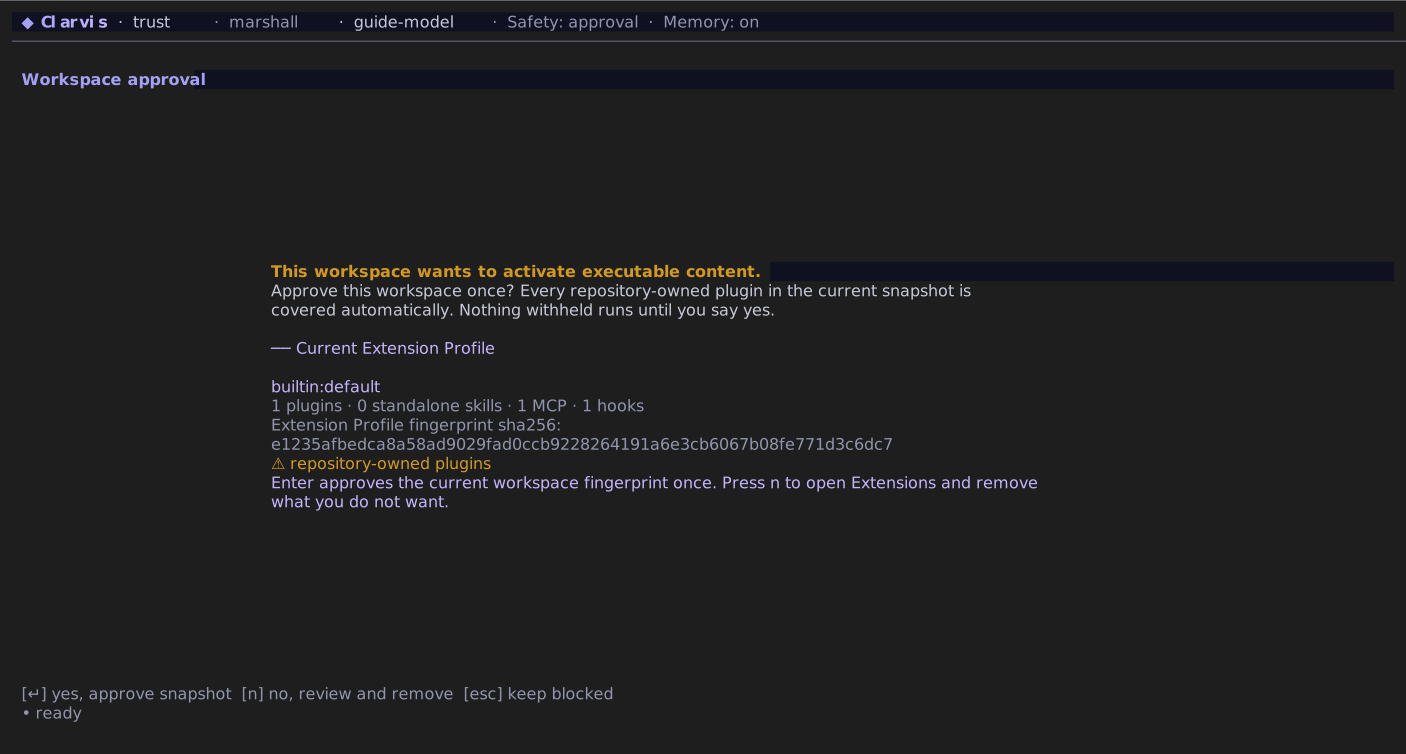
/workspace-trust. - Open
/agent, selectreviewer, and press Enter to use it in the current session. Press S there only if it should become a persistent default.
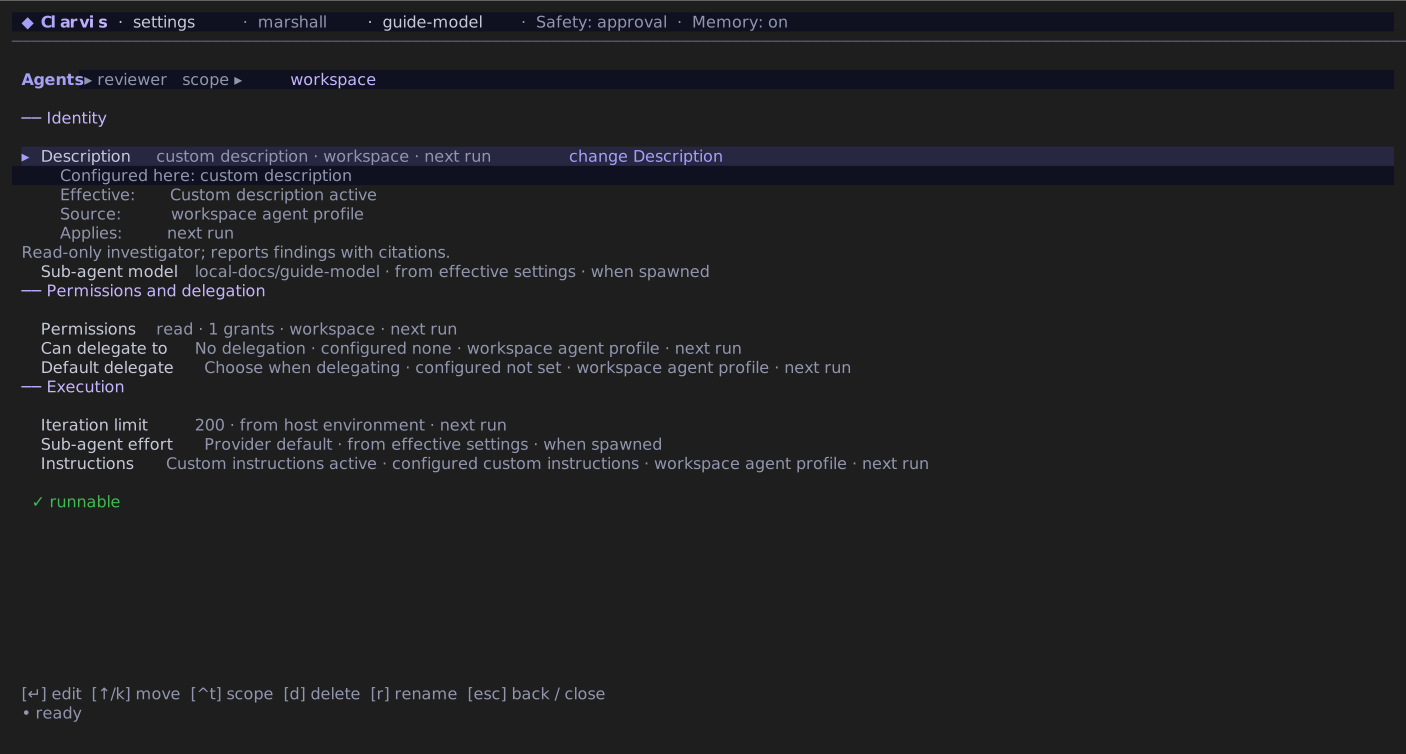
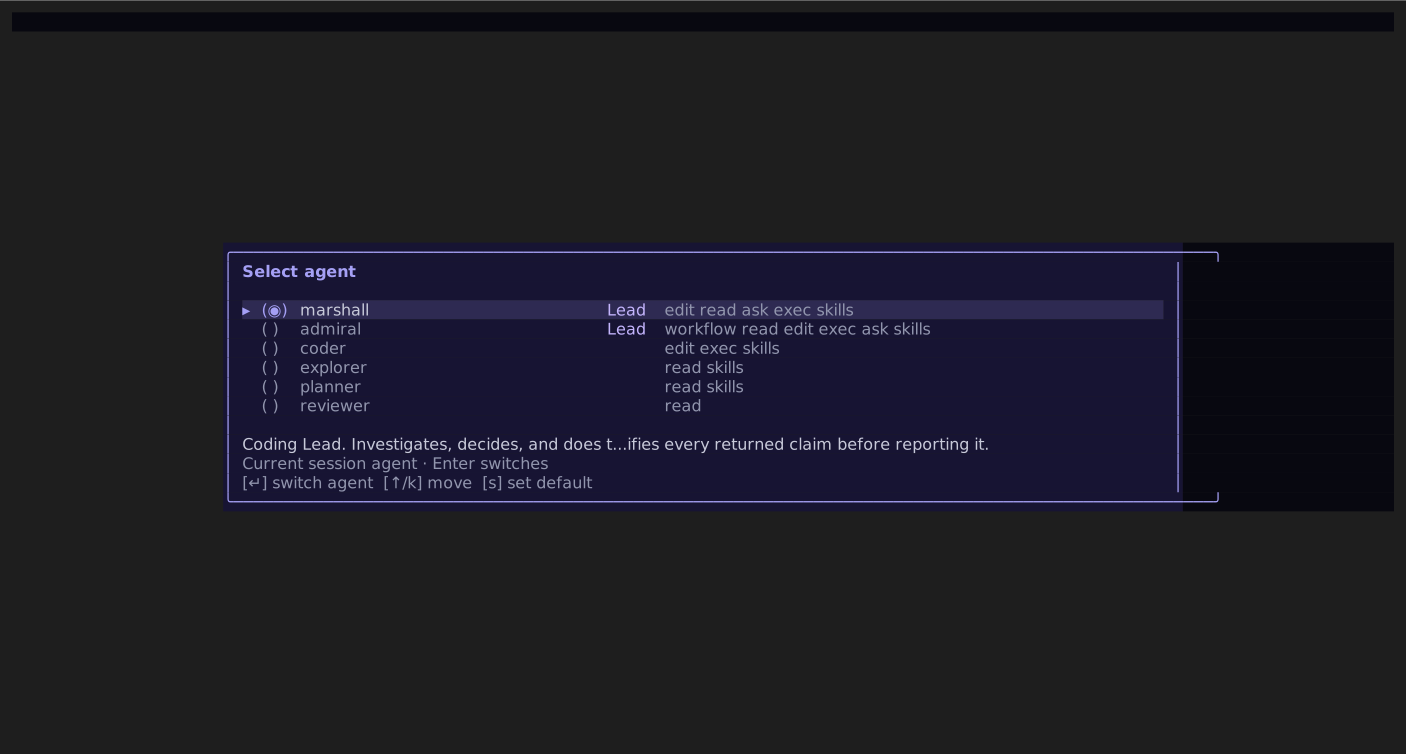
reviewer, or explicitly save it as a default.The initial template can read the workspace but cannot edit it or run commands. Add permissions only when the agent's job needs them.
Create the file yourself
Agent definitions are Markdown files named after the agent. There is no generic agent.md: the filename is the agent name. To create a workspace agent named reviewer manually:
mkdir -p .clarvis/agents
$EDITOR .clarvis/agents/reviewer.md
Put this complete definition in .clarvis/agents/reviewer.md:
---
description: Reviews changes without modifying the workspace.
tools: []
grants:
  - read_workspace
  - use_skills
iteration_limit: 12
---

You are a read-only reviewer. Inspect the requested surface, verify claims against current source,
and report findings in severity order with precise file references. Do not edit files or run
mutating commands.
Approve a workspace agent with /workspace-trust, then select it through /agent. It inherits the configured default model when used as the Lead. A declared model: provider/model wins when the profile is spawned as a sub-agent; the configured user default remains authoritative for the Lead.
Common fields are:
| Field | Meaning |
|---|---|
description | Human-facing purpose shown in the agent picker. |
model | Optional sub-agent model; the user default wins for the Lead. |
tools | MCP tools by dotted name, such as project.search. |
grants | Built-in capabilities such as workspace access, commands, skills, or workflows. |
can_spawn | Agents this lead may start. |
default_spawn | Default child; it must also appear in can_spawn. |
iteration_limit | Soft Lead checkpoint in escalate; otherwise a hard per-agent cap. |
reasoning_effort | off, minimal, low, medium, high, xhigh, or max. |
budget | Optional run-budget policy. |
The Markdown body after the closing --- is the agent's system prompt. The fields above it (called frontmatter) set the agent's permissions and other options.
Built-in workspace tools come from grants:
| Grant | Capability |
|---|---|
read_workspace | Read-only workspace inspection. |
edit_workspace | File mutation and read access. |
run_commands | Shell commands plus edit and read access. |
ask_user | Ask the operator for input; meaningful only for the entry agent. |
use_skills | Discover and load skills. |
workflow | Run workflow-manager capabilities from an entry agent. |
tools lists MCP tools by dotted server.tool name. It does not grant file or shell access.
WARNING
Permissions come from grants and selected tools, not from the prose prompt. Give a custom agent only the access its job requires.
Override a built-in agent
Replace the entire system prompt
Write a file with the built-in agent's name. For example, save this as .clarvis/agents/marshall.md to replace Marshall's system prompt for one project:
---
description: A coding agent for this project's maintenance work.
---

You maintain this project. Read its contribution guide before making changes.
Keep fixes small, use the existing code style, and run the checks for the affected code.
Explain what changed, how you checked it, and anything that remains unresolved.
Ask before publishing a release or changing production infrastructure.
Approve the workspace file through /workspace-trust. Its Markdown body replaces the built-in prompt in full; Clarvis does not append it to that prompt. The same approach works for Admiral, Coder, Explorer, and Planner. Use ~/.clarvis/agents/<name>.md to apply your replacement across projects.
The example replaces the prompt while keeping the built-in permissions and other omitted fields. Tool permissions still come from grants and tools. Clarvis also adds the context needed for the current task, so replacing the agent prompt does not remove the rest of the run context.
Change settings while keeping the built-in prompt
A file with a built-in name customizes only the fields it contains. The filename selects the built-in to customize. You can create these files through /settings/agents or place them in the global or workspace agents/ directory. These are complete, minimal examples for every built-in:
.clarvis/agents/marshall.md:
---
iteration_limit: 60
compaction:
  prompt: |
    Preserve accepted decisions, current implementation state, failed approaches, unresolved risks,
    and the exact next action. Keep concrete file paths and validation results.
---.clarvis/agents/admiral.md:
---
iteration_limit: 60
---.clarvis/agents/coder.md:
---
iteration_limit: 40
---.clarvis/agents/explorer.md:
---
iteration_limit: 40
---.clarvis/agents/planner.md:
---
iteration_limit: 40
---
Omitted fields keep their built-in values. An empty list removes an inherited list. Leave the Markdown body blank to keep the built-in system prompt. A non-empty body or base_prompt replaces the whole prompt.
A trusted workspace file takes priority over a global file with the same name. Clarvis uses only the selected file to override the built-in fields. Advanced fields such as budget, compaction, retry, and call_timeout_ms currently require direct file editing. For streaming calls, call_timeout_ms is an inactivity window reset by text, reasoning, or tool input progress; before observable streaming begins, it remains an absolute call bound.
Unknown frontmatter keys are preserved for forward compatibility and do not change runtime behavior. Check field spelling carefully; /doctor reports invalid values, but an unknown typo may simply have no effect.
Give one entry agent its own run budget
Use a profile budget when this agent should have a different boundary from the top-level default:
---
description: Reviews one bounded change without modifying the workspace.
grants:
  - read_workspace
iteration_limit: 20
budget:
  on_exceed: stop
  total_token_limit: 100000
  timeout_ms: 300000
---

Review the requested change and report findings with precise evidence. Do not modify files.
This budget applies when the profile is the entry agent and replaces the top-level budget as a whole. For a spawned sub-agent, iteration_limit remains its hard cap.
Override the compaction prompt
The supported compaction-prompt override is compaction.prompt inside an agent definition, as shown for Marshall above. There is no standalone compaction-prompt.md and no top-level settings.json compaction prompt.
The effective agent layer is resolved first: a trusted workspace agent file wins over a same-named global file; otherwise the global file is used; otherwise the built-in definition is used. Its non-empty compaction.prompt replaces Clarvis's built-in summarization prompt for that agent. If it is absent, the built-in summarization prompt remains active. Clarvis still adds the current Lead objective or sub-agent task to the compaction request.
To disable LLM summarization for one agent and use mechanical eviction instead, use:
---
compaction:
  prompt_mode: none
---
prompt_mode: none cannot be combined with compaction.prompt.
If an override is malformed, Clarvis keeps the built-in agent unchanged and reports the rejected file in /doctor. A malformed new custom agent has no built-in fallback and is unavailable.
Choose global or workspace scope
Use ~/.clarvis/agents/<name>.md for an agent you want everywhere, or <workspace>/.clarvis/agents/<name>.md for a project-specific definition. $CLARVIS_HOME replaces ~/.clarvis when set. A workspace definition wins over a same-named global definition after trust approval.
You can also manage definitions in /settings/agents. A shipped agent can be reset to its built-in definition or forked under a new name; it cannot be deleted or renamed in place.