
MCP servers
Connect local or remote MCP servers to give agents access to more tools and information.
Inspect connected servers
Type /extensions, then press c to open the read-only MCP browser.
- Select a server and press Enter to inspect its tools and prompts.
- Select a tool to inspect its input schema.
- Select a prompt and press
ito invoke it. - Press
rto refresh connection state, oreto show the exact settings file and server entry to edit.
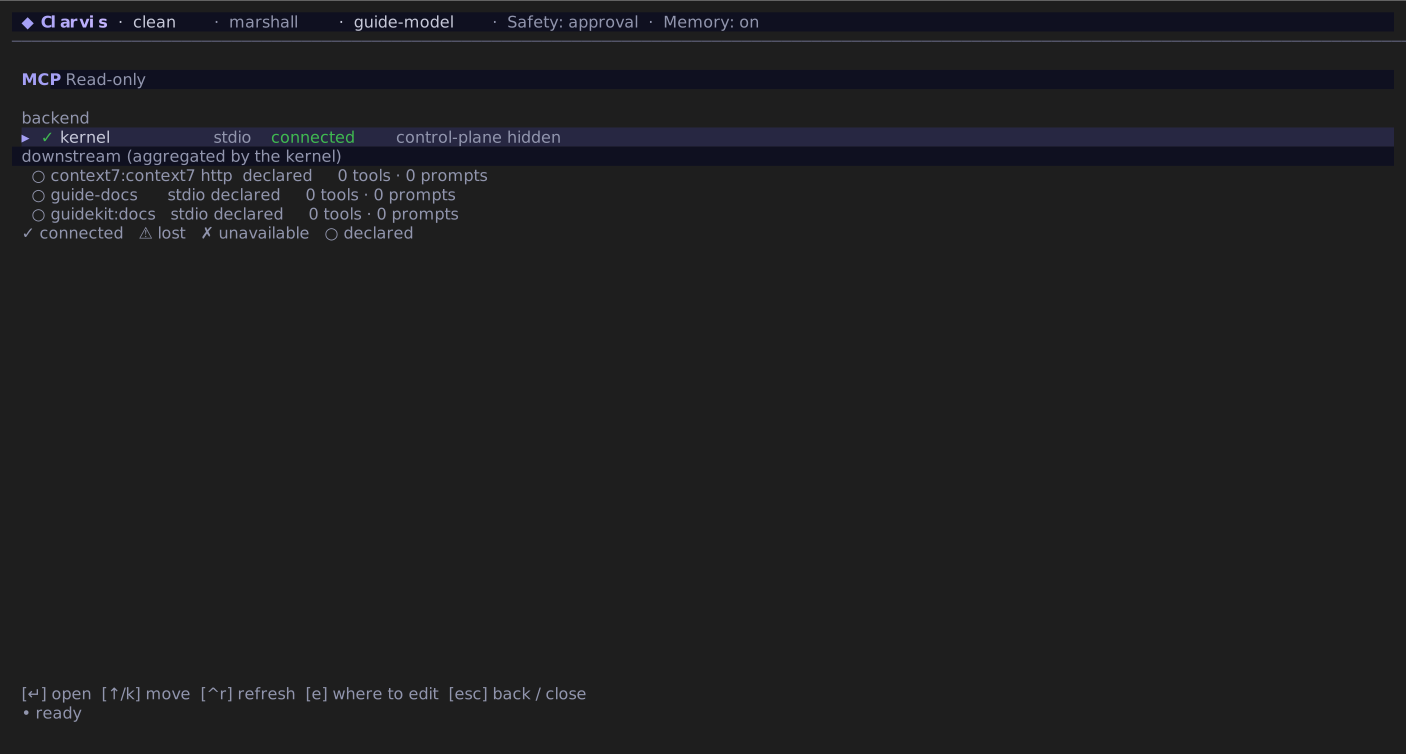
The browser distinguishes connected, declared, lost, and unavailable servers, so it is the quickest place to confirm that a configuration is live.
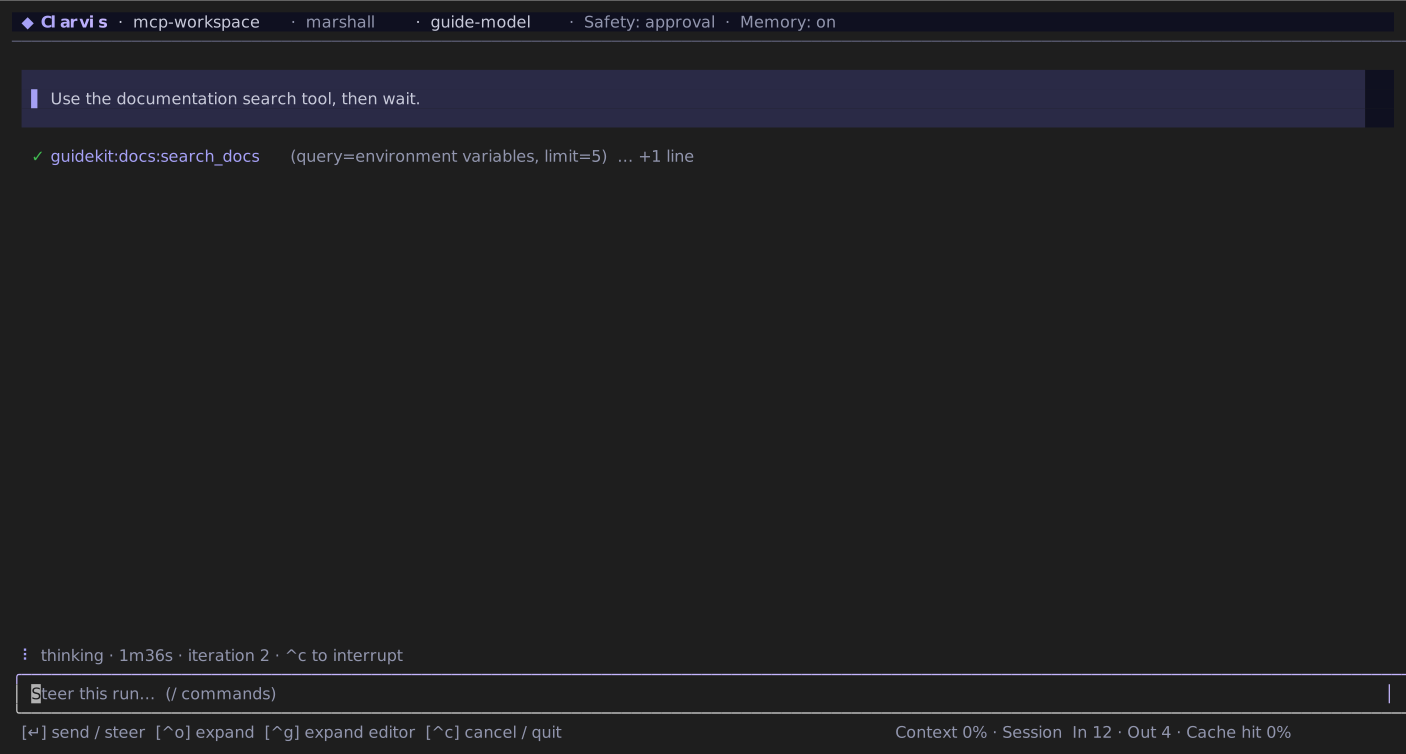
Configure servers
Add an mcpServers map to ~/.clarvis/settings.json for personal servers or .clarvis/settings.json for project-specific servers. Each map key becomes the server name:
{
  "mcpServers": {
    "workspace-tools": {
      "type": "stdio",
      "command": "bun",
      "args": ["run", "tooling/local-mcp.ts"],
      "env": {
        "SERVICE_TOKEN": "${SERVICE_TOKEN}"
      },
      "resources": true
    },
    "remote-docs": {
      "type": "http",
      "url": "https://mcp.example.com/mcp",
      "headers": {
        "Authorization": "Bearer ${MCP_TOKEN}"
      }
    }
  }
}
Replace the example command and URL with servers you control. Keep credentials in environment variables: ${NAME} references are resolved when Clarvis connects, so secrets do not need to be stored in settings.json.
Choose the transport
stdiorequirescommand. It may also useargs,env,env_vars,cwd,shared, andresources; it must not useurl,headers, or remote credentials.httpandsserequire a well-formedhttp://orhttps://URL. They may useheadersandresources; they must not usecommand,args,env, orshared.- Omitting
typeselectsstdio.
All transports may set startup_timeout_sec, tool_timeout_sec, enabled, required, enabled_tools, and disabled_tools. Tool allow and deny lists cannot overlap. A stdio env_vars list forwards only those named host variables in addition to the explicit env map. A remote server may name bearer_token_env_var and map HTTP header names to environment-variable names with env_http_headers, keeping credential values out of settings. expandVariables defaults to true; set it false only when another package format already owns placeholder expansion.
Set shared: true only when one long-lived stdio process can safely serve overlapping runs. A shared connection does not support MCP elicitation, so do not use it for a server that authenticates by asking the operator a question.
Resource support is on by default. When a server advertises resources, Clarvis adds <server>.list_resources and <server>.read_resource; set resources: false to suppress them.
Authorize a remote server
When an HTTP or SSE server requests OAuth, the local interactive CLI and local --print mode open the authorization page in your default browser. A challenge may arrive while connecting, while discovering tools or resources, or during a later request. Clarvis accepts only HTTPS OAuth endpoints and redirects (plus HTTP on a loopback host), verifies a one-time state value, exchanges the callback with PKCE, validates an issuer when the authorization server supplies one, and repeats the refused operation once.
The interactive TUI never holds a model run open while you authorize. The challenged server stays inactive for that run and Clarvis shows its sanitized reason once as a transient warning rather than adding it to conversation history. Ignoring the browser leaves the message field and run usable; finishing authorization stores the token for a later run. Reconnect or start the next run after the browser flow completes.
Headers declared on the MCP server are scoped to resource requests on the configured origin. OAuth discovery, registration, and token requests do not inherit them, even when the resource and authorization server share an origin, and credentials created by the OAuth flow take precedence.
Registrations and tokens are stored outside settings in ~/.clarvis/state/mcp-oauth.json, isolated by workspace, owner, and canonical server URL. Clarvis creates that file with private permissions on platforms that support them and does not place its contents in prompts, traces, or logs. A remote/headless kernel has no browser authority and fails explicitly if interactive authorization is required; configure an explicit header-based credential for that host instead.
Advanced OAuth configuration lives inside the server's oauth object. client_id uses a pre-registered public client; an HTTPS client_metadata_url enables Client ID Metadata Document discovery; otherwise Clarvis uses dynamic registration when the server supports it. callback_url must be HTTPS or loopback HTTP, include a non-root path, and have no query or fragment. callback_port selects the local listener port. A configured client id takes precedence over both metadata discovery and dynamic registration.
Reference a server from an agent
The stable configuration and hook identity is <server>.<tool>. For example, a search tool from remote-docs is always resolvable as remote-docs.search. When a provider-local tool name is unique, valid, and does not collide with a built-in, Clarvis may show that shorter local name to the model; duplicates, invalid names, and reserved names receive a deterministic namespaced fallback. The dotted identity remains canonical regardless of the model-facing spelling.
Servers contributed by a plugin receive the plugin namespace:
quality-kit:checks.lintHere quality-kit is the plugin, checks is the server, and lint is the tool. Use that full name in agent tool lists and hook match patterns.
Workspace trust applies
An unapproved repository may declare MCP servers, but Clarvis withholds them instead of launching or connecting to them. Clarvis asks for the exact protected fingerprint when entering the workspace; use /workspace-trust to review, approve, or revoke it later. Approval is for the workspace, not for an individual server.