# Worktrees
> Give Clarvis a dedicated Git branch and checkout without leaving your primary working tree.
## Create a managed worktree
Run Clarvis from any checkout of the Git repository:
```bash
clarvis --worktree docs-guide
```
Clarvis creates the branch `clarvis/docs-guide` in a managed checkout beneath the repository's
primary checkout, or reopens the checkout already registered by Git for that branch. Pass only the
name; Clarvis owns the `clarvis/` branch prefix.
Omit the name when you want Clarvis to generate one:
```bash
clarvis --worktree
```
Names must be 1–80 ASCII characters, start with a letter or digit, and contain only letters, digits,
dots, underscores, and hyphens. They must also be valid Git branch segments, so `..`, `@{`, a trailing
dot, and a `.lock` suffix are refused. Worktree selection finishes before the session, kernel, or TUI
starts, so every file operation and run uses that one checkout.
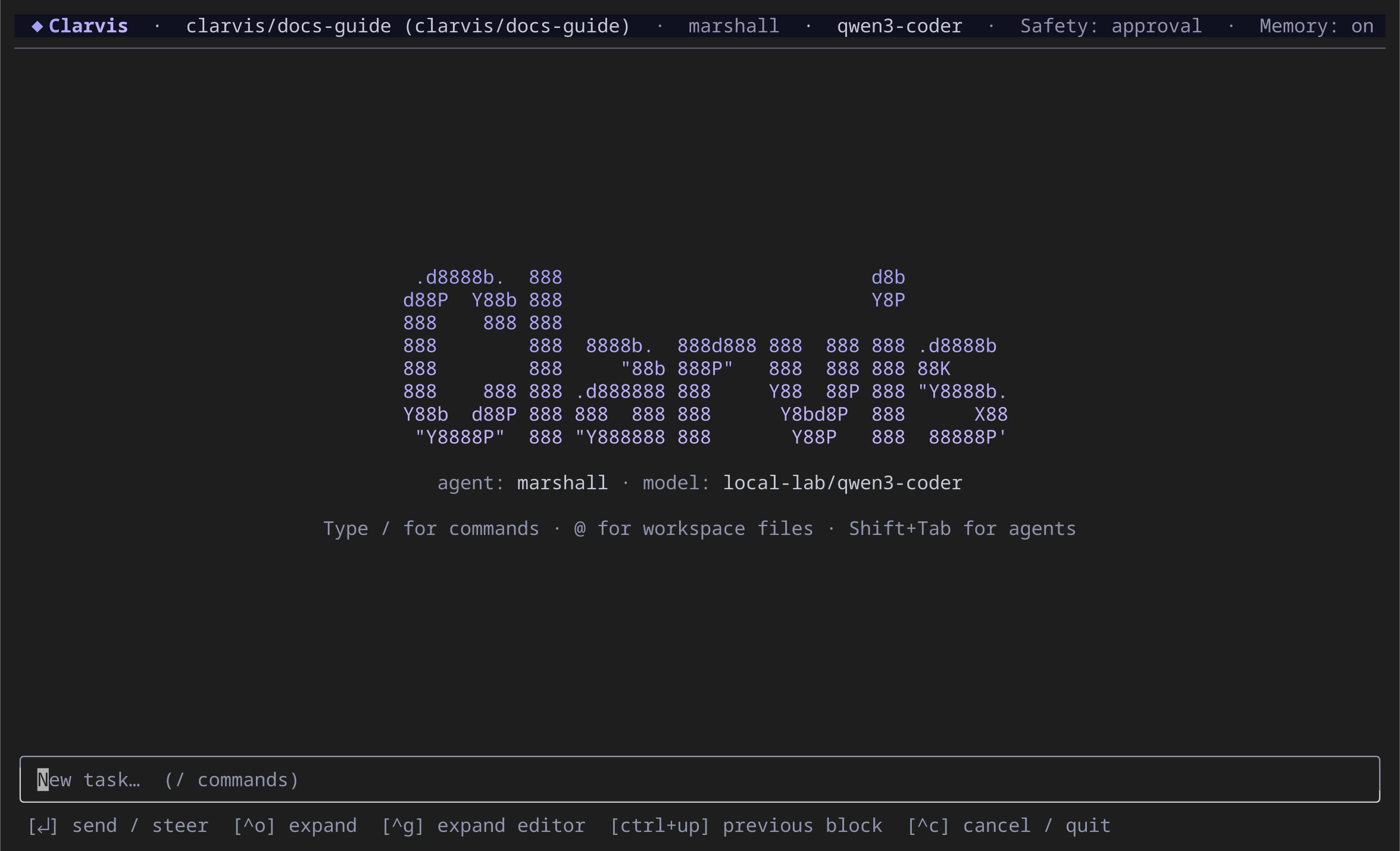
The header identifies both the managed worktree and its clarvis/docs-guide branch.
## Continue work in the same checkout
Use the same worktree name on later launches:
```bash
clarvis --worktree docs-guide --continue
```
Clarvis uses Git's registered worktree list as the source of truth. It does not maintain a separate
worktree registry. If Clarvis's managed checkout was removed but its branch remains, the same
command can recreate it from that branch. If Git already registers the branch in an external
worktree, Clarvis reopens that registered path instead of relocating it.
There is no in-session worktree switch. Exit and launch Clarvis again with the target name so every
service agrees on the workspace identity.
## Keep or remove the checkout on exit
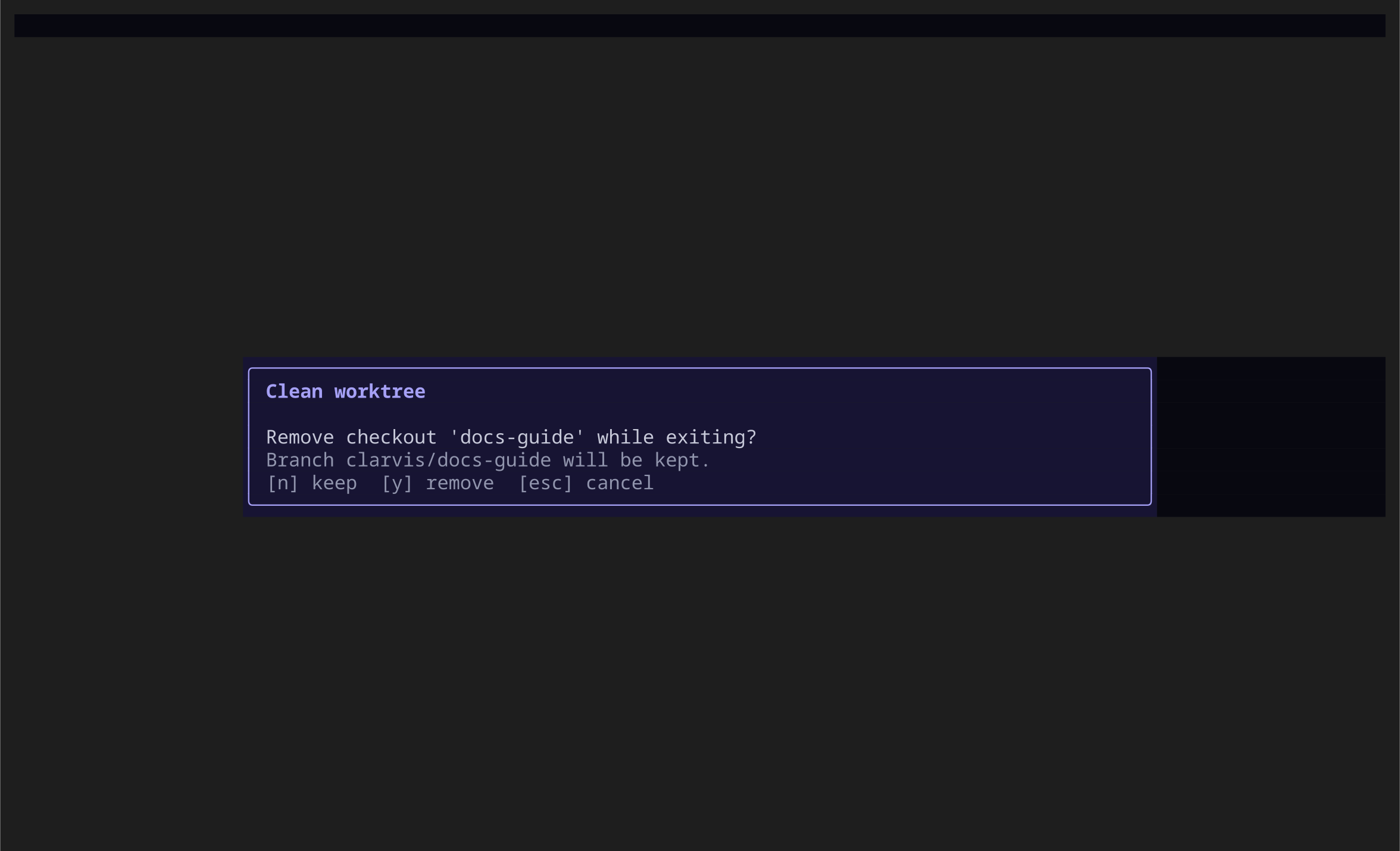
When the worktree is clean, the normal double-**Ctrl+C** quit flow asks whether to remove its
checkout:
Removing a clean checkout keeps the branch; it does not merge or delete the work.
- **N** keeps the checkout and exits.
- **Y** removes the clean checkout and exits.
- **Escape** cancels the exit.
If the checkout has pending changes, Clarvis keeps it and does not offer removal. The removal path
never uses a forced Git operation, and the `clarvis/` branch is preserved either way.
::: warning
A clean checkout only means its files have no pending changes. It does not mean the branch was
merged, published, or is safe to delete. Integrate or remove the branch with your normal Git
workflow.
:::
## Where managed checkouts live
Clarvis stores managed checkouts under:
```text
/.clarvis/worktrees/
```
It ensures the primary checkout's `.clarvis/.gitignore` excludes `worktrees/` before creating one,
so nested checkout files are not accidentally staged from the primary workspace. External
worktrees created by you remain outside this managed-cleanup path.
## See also
- [Daily use](/guide/daily-use)
- [Plans](/guide/plans)
- [Scopes and workspace trust](/explanation/scopes-and-trust)
- [Commands](/reference/commands)
---
[Canonical HTML](https://clarvis.dev/guide/worktrees)
[Documentation index](https://clarvis.dev/llms.txt)